
A private company network
Employees talk only to each other. Outsiders can't message their work accounts.
A private, secure network for your team. Only your employees, only confirmed colleagues — and neither the company owner nor we can read the conversations.
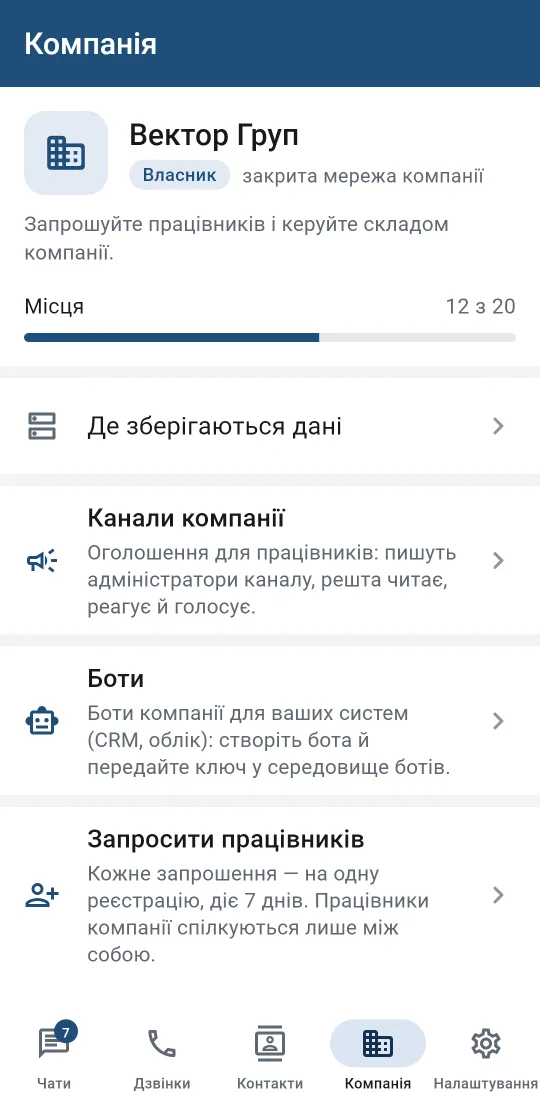
Employees talk only to each other. Outsiders can't message their work accounts.
The owner invites employees, manages the team and appoints channel admins.
Until the owner confirms a new employee, colleagues see "not confirmed" next to their name.
Colleagues find each other by name and job title even before their first chat. The owner turns the directory on.
Only channel admins post; employees read, react and vote in polls.
If an employee's phone is lost or stolen, the owner sends a command and the phone wipes Cifrela keys, messages and files.
The company's encrypted files and backups are kept in its own S3-compatible storage.
Notifications from WiTime CRM and ClinicKey, plus your own company bots for your systems. A bot only sees chats it's been added to.
It works only in chats where people added it, and only when someone addresses it. The company can switch it off.
Moderator, administrator and super-admin roles, sign-in with a password and a one-time code, and an audit log of admin actions.
The list of employees: user name, name and job title, role, sign-up date and roughly when they were last active.
The content of employees' messages, files and calls — neither the owner nor we can see it.
Messages addressed to the assistant (an @mention or a reply to its message), together with up to 30 recent messages from that chat, are sent to the AI provider — Anthropic (USA). A banner is always shown in such a chat, and the company owner can ban the assistant from all company chats.
Place an order in our shop, where you'll find the terms and the public offer.
We create your company with the number of seats you need and send an invitation to the owner.
The owner invites employees in the app and confirms the people they know.
Order Cifrela Business — we'll help you set it up.